
Skip to content
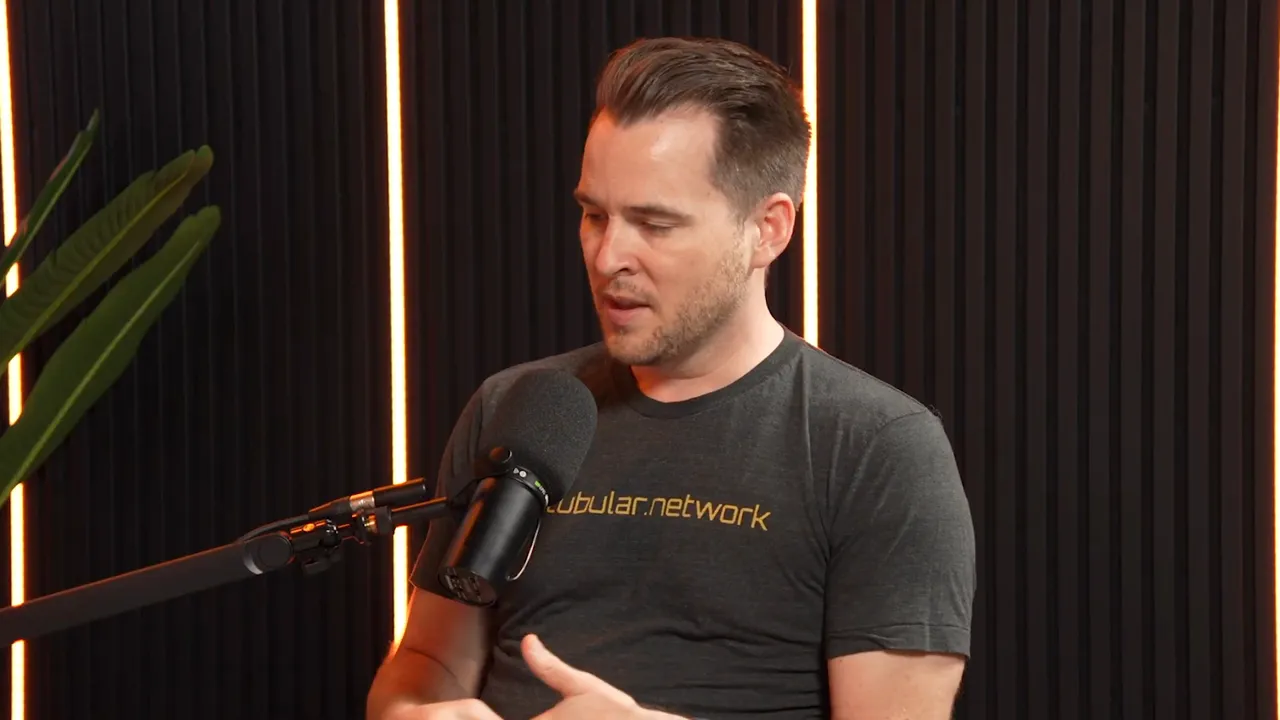
A wide 16:9 shot from Funds and Founders
Razr app icon

Your episode is done. The Shorts are already in it.

Paste a YouTube link. Razr reads the transcript, scores every moment and cuts the best ones into vertical clips, face tracked and captioned.

Free plan, 10 credits a month. macOS 12+ on Apple silicon, Windows 10 and 11.
Clips shown are interim stand-ins from CC BY episodes; scores are pending.

How it works

Paste a link. Get the Shorts back.

youtube.com/watch?v=_mtXedm3tPgFind clips

The Reality of Building a Hardware Startup ft. Ben James, ft. Dylan Mankey

Funds and Founders, 1:08:44

Any YouTube video with captions. Auto-generated ones work.

Showcase

Three long videos in. Eight Shorts out.

Interim stand-ins, cut from CC BY episodes with Razr’s own face tracking and crop. Titles and scores are placeholders until the real exports land. Point at one to play it.

  • HookScore pending

    Interim clip one

    Highlighter captions, Funds and Founders

  • StoryScore pending

    Interim clip two

    Bold pop captions, Funds and Founders

  • QuoteScore pending

    Interim clip three

    Highlighter captions, Funds and Founders

  • InsightScore pending

    Interim clip four

    Highlighter captions, Funds and Founders

  • InsightScore pending

    Interim clip five

    Clean captions, Foundation for Economic Education

  • StoryScore pending

    Interim clip six

    Editorial captions, Foundation for Economic Education

  • DebateScore pending

    Interim clip seven

    Boxed captions, Algora TV

  • HookScore pending

    Interim clip eight

    One word captions, Algora TV

Features

Everything a cut needs. Nothing it doesn’t.

A desktop app that does the scrubbing for you, then gets out of the way.

Scored out of ten, with a reason.

Every clip is ranked and tagged as a hook, insight, story, debate or quote, with why it was picked. Best first.

  1. 1HookInterim clip one–
  2. 2StoryInterim clip two–
  3. 3QuoteInterim clip three–
  4. 4InsightInterim clip five–
  5. 5DebateInterim clip seven–

Interim stand-ins; scores are pending until real exports land.

Two people? It stacks them.

Razr follows the speaker’s face in a wide shot. When two share the screen, it puts one above the other.

Six caption styles, burned in.

Timed to the transcript word by word. Pick one and it plays on this clip the way Razr previews it before export.

Bold white words; the spoken word sits on a highlighter mark.

  • Complete thoughts

    Cuts snap to sentence boundaries, so every clip starts where a thought starts and ends once it lands.

  • Face-tracked crop

    Vertical framing that follows whoever is talking, instead of a fixed centre crop.

  • Highlights mode

    Full-length topic segments with no length cap, for when a 60 second Short is too short.

  • Custom outro

    Add your own outro to the end of every clip, set once and reused on each export.

  • Batch export

    Pick the clips you want and export them in one go, captions burned in.

  • Upload all to YouTube

    Send the batch straight to your channel, scheduled a clip every two days.

Pricing

Start free. Pay when it’s paying you back.

A credit covers ten minutes of video. Finding Highlights adds two. Unused credits roll over.

Free

$0forever

10 credits a month

Rolls over up to 20

  • Up to 3 clips per video
  • Highlights
  • All caption styles

Creator

$7a month

60 credits a month

Rolls over up to 120

  • 10 clips per video
  • Face tracking
  • Custom outro
  • Batch export

Pro

$15a month

200 credits a month

Rolls over up to 400

  • Every clip it finds
  • Face tracking
  • Custom outro
  • Priority support

Paid plans open soon. Join the waitlist and keep using Free meanwhile.

See plans and join the waitlist

FAQ

Questions? Short answers.

Is Razr free?

Yes. The Free plan gives you 10 credits a month and up to 3 clips per video, with every caption style. Creator and Pro add more credits, more clips per video, face tracking and batch export.

What does a credit cover?

One credit analyses ten minutes of video, so a one-hour episode costs six. Finding Highlights adds two credits.

What happens to credits I don’t use?

Plan credits roll over each month, up to a cap: 20 on Free, 120 on Creator and 400 on Pro. Bonus credits from top-ups and referrals never expire.

Which computers does Razr run on?

Macs with Apple silicon on macOS 12 or later, and Windows 10 or 11. Intel Mac support is in progress.

Does it work on any YouTube video?

Razr reads the video’s transcript, so it needs captions. Auto-generated subtitles are enough.

How do I keep it up to date?

You don’t have to. Razr updates itself in the background.

Something else? Message us on X at @SirdesaiEXE.

Razr app icon

Last week’s episode is this week’s Shorts.

Free to download. Sign in once and the Free plan is ready.

  • No card needed
  • Apple silicon and Windows
  • Updates itself

Intel Mac support is in progress.